
MBA Reporting
Reporting
All MBA data is stored in database within the portal. A user can export MBA data in excel for reporting & analysis.
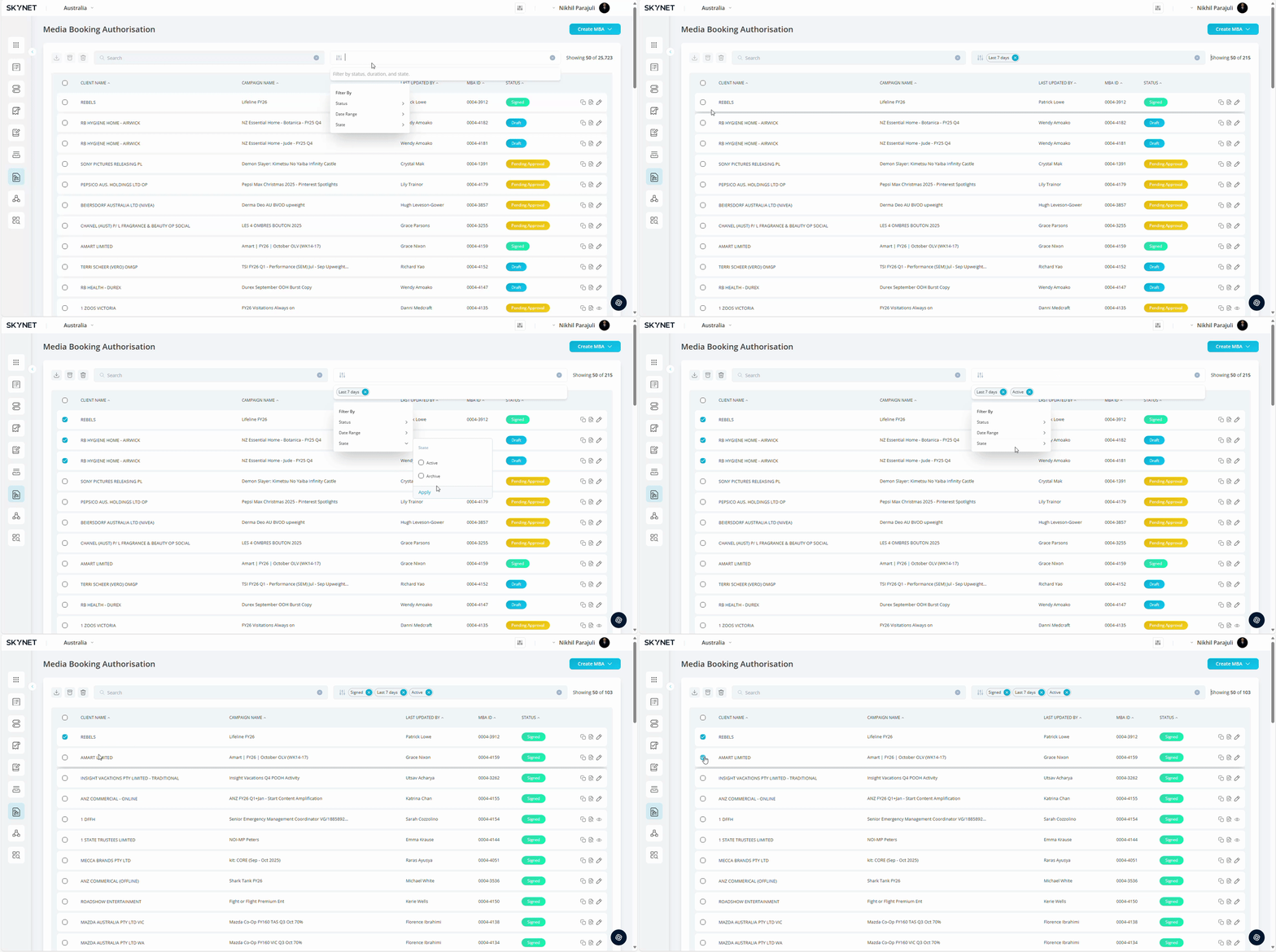
Click MBA Tool. Click MBA Tool icon to popup submenu.
Select Date Range. Select start date & end date of date range applicable using a filter bar.
Select Columns. Select the columns you wish to display by clicking on a checkbox
Apply Filters. Apply any additional filters.
Press Apply. Press Apply button to update the database based on your selections.
Click on Download Icon: After selecting the MBA click on download Icon to export the MBA.
The selected MBA details will be sent to your Email as an Excel file.