
Navigation
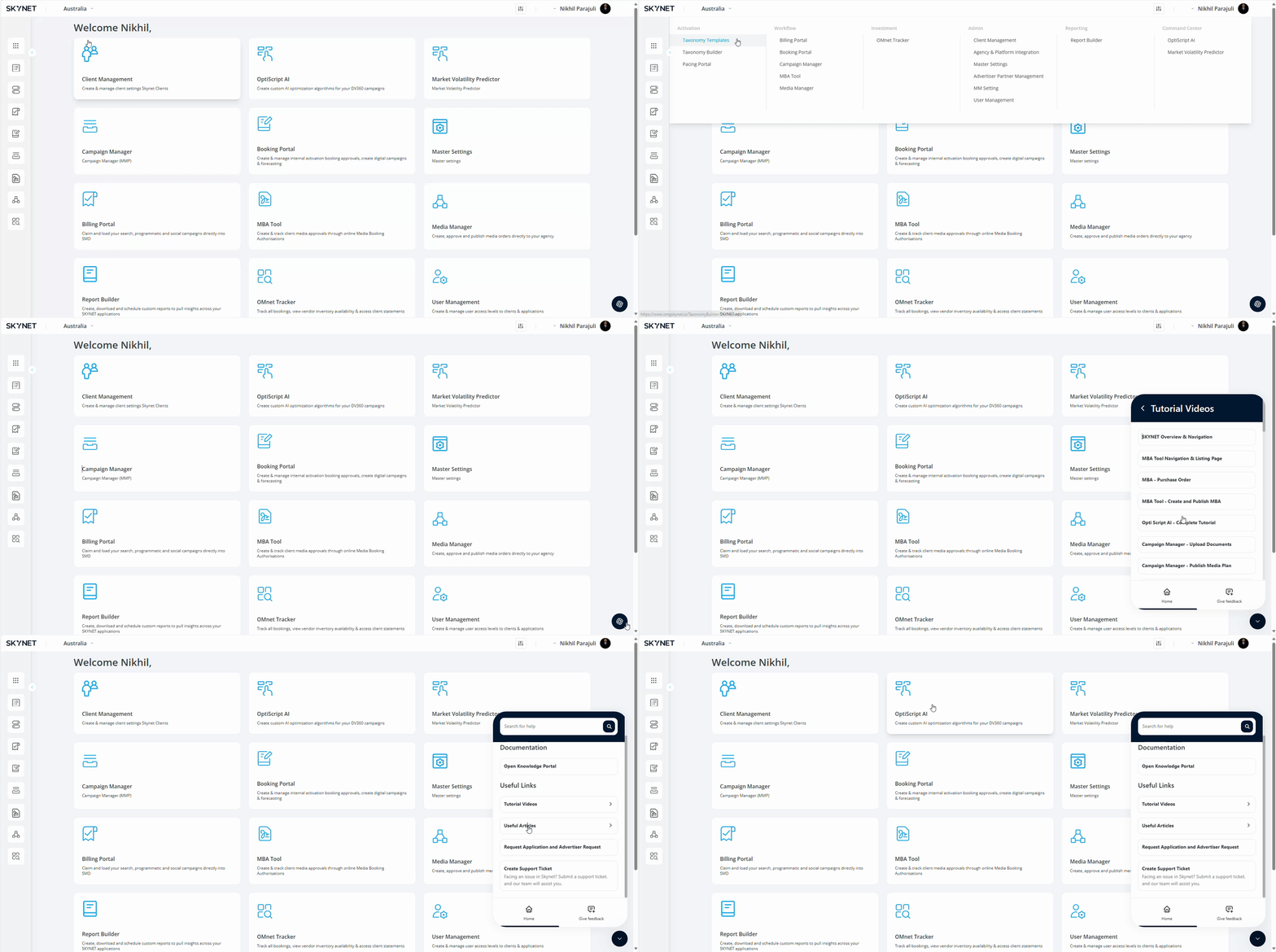
On logging in to the platform, you will be directed to the homepage. This acts as the central navigation system of SKYNET. Application cards are found on the homepage and offer a one-click access point to the applications enabled to a user, including MBA Tool & Booking Portal.
The side panel navigation hosts all applications enabled to a user. Compared to the action cards on the homepage, increased navigation functions are available from the side panel with nine dot icon users will be able to navigate all the applications that has been assigned to them.
You can reach out to support via the Help Centre & Support button on the lower right section of the side panel with any access requests, questions, feedback, or platform related issues, you can also access Skynet knowledge portal through this icon.
You can also access directly using the JIRA support URL: https://flightdeck.atlassian.net/servicedesk/customer/portal/25
For first time users, SSO will not work for JIRA – so remember to hit the sign-up button to request for a private sign-up link before using the portal.